Your memory on every machine. And your team’s.
Hand one workspace to another machine or a colleague with a single code. Sessions are end-to-end encrypted, go one way or both, and run from the terminal or the dashboard. Pair your own machines once and they keep that workspace in step on their own.
Everything on this page is a real session between two demo machines, alice-laptop and sam-workstation, through the public relay.
Excerpts from the recorded transcripts.
Four steps, about ten seconds.
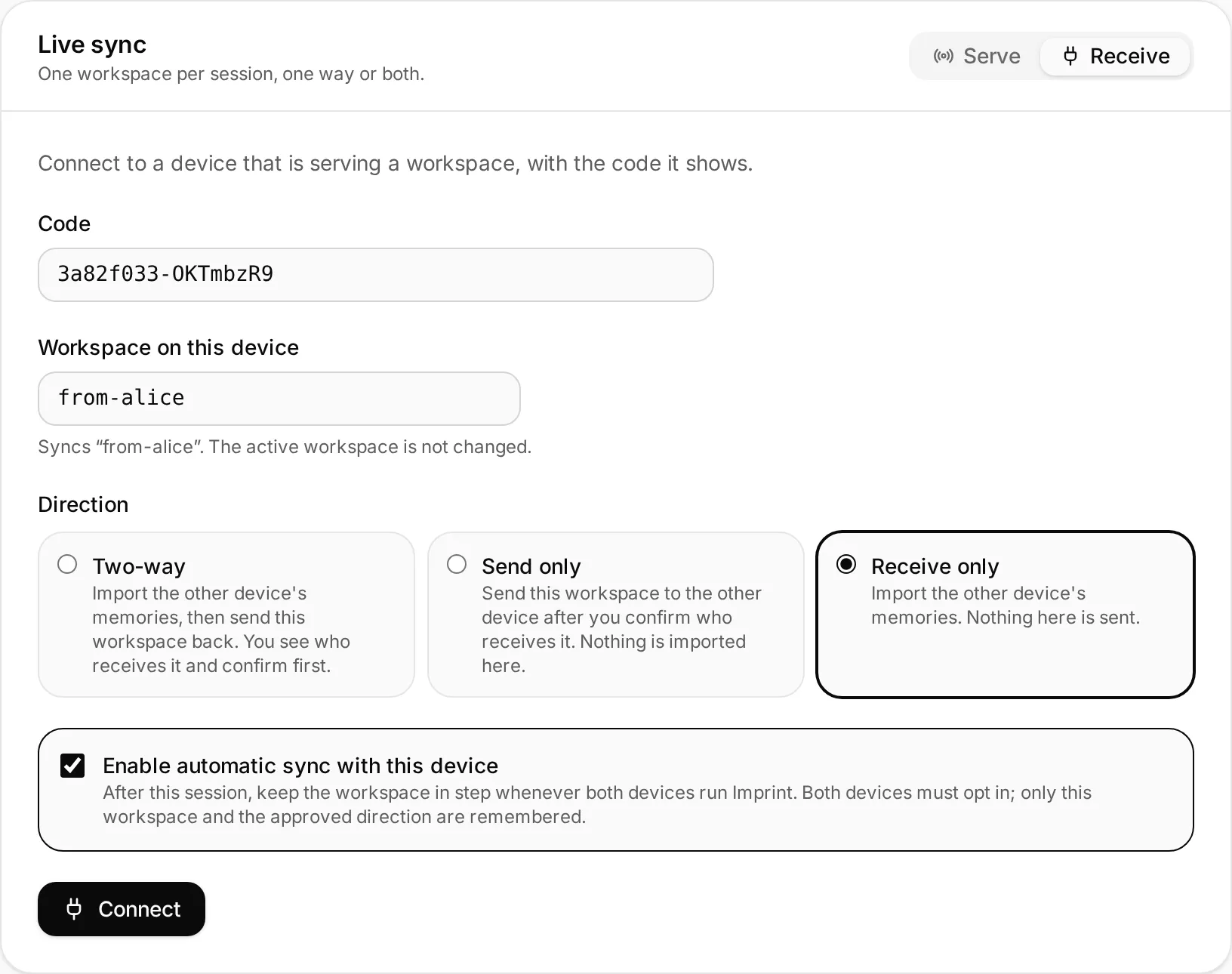
The same session runs in the terminal with imprint sync and in the dashboard
under Sync. These are the dashboard’s screens.
- 1
Serve a workspace
Pick the workspace and what the other machine may do with it. The default public relay is fine: it only ever forwards ciphertext. Tick automatic sync if this is one of your own devices.
alice-laptop · Sync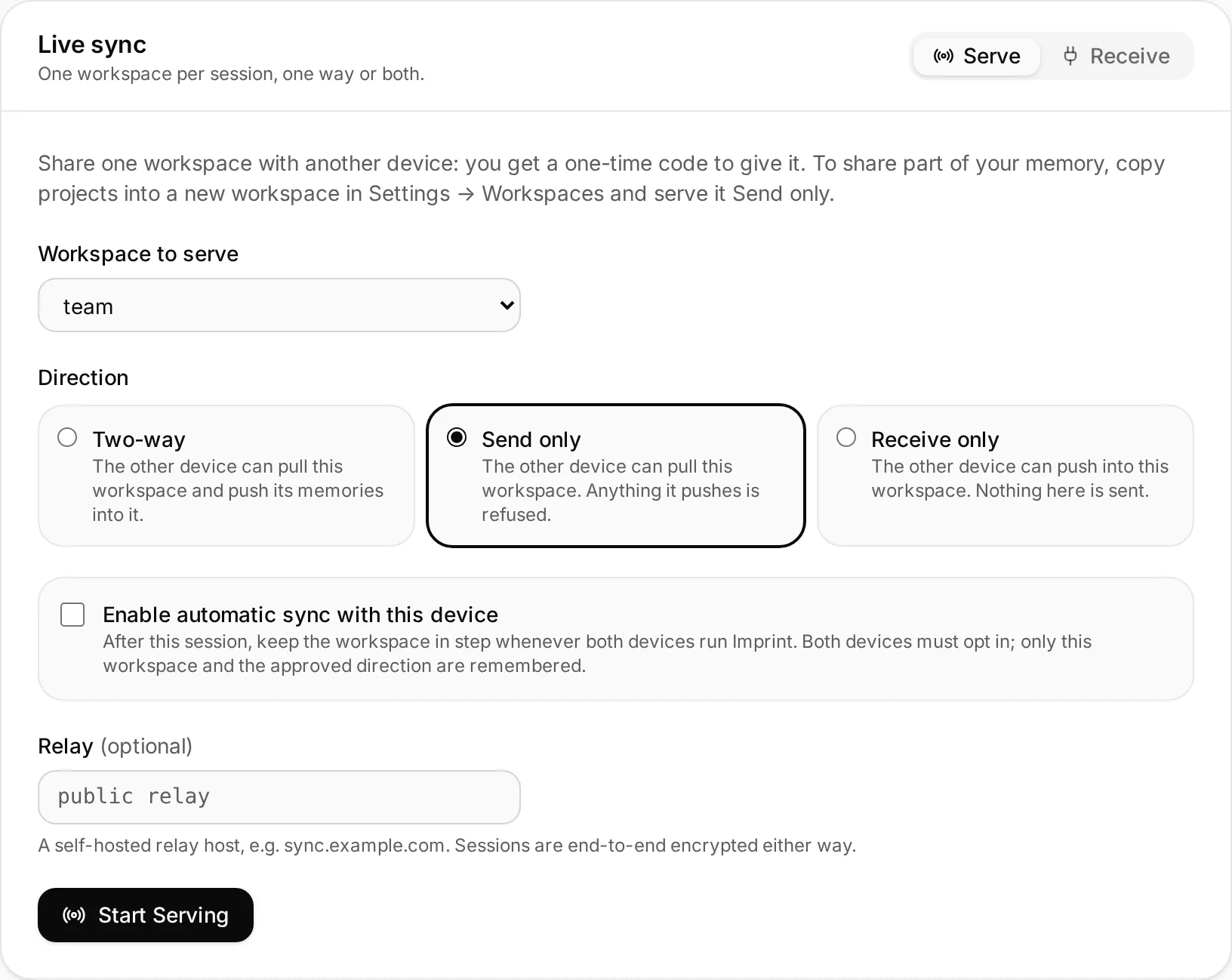
- 2
Share the code
Imprint prints one code. Its first half names the room on the relay; the second is a secret only the two machines use. It works once.
alice-laptop · Sync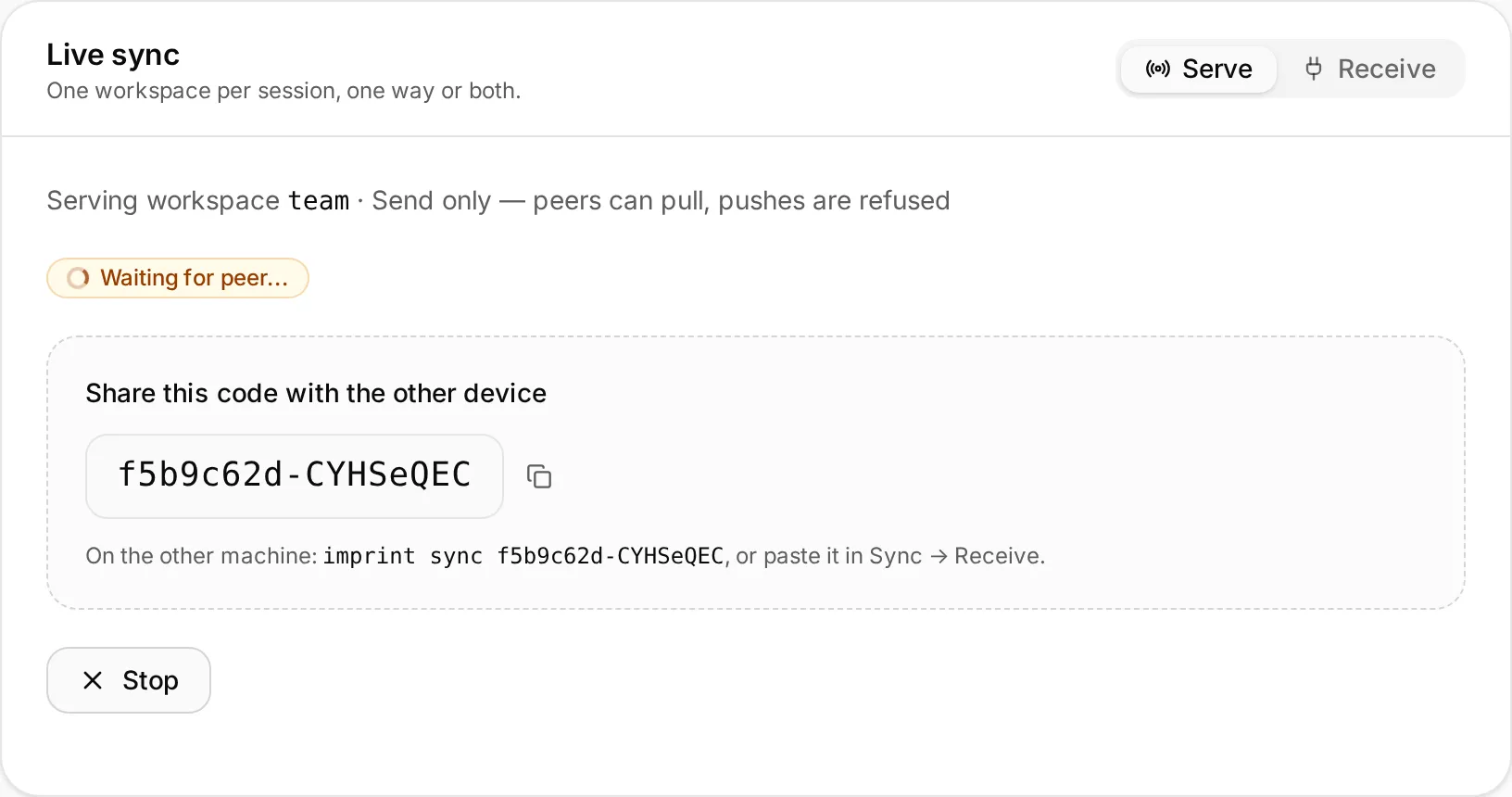
- 3
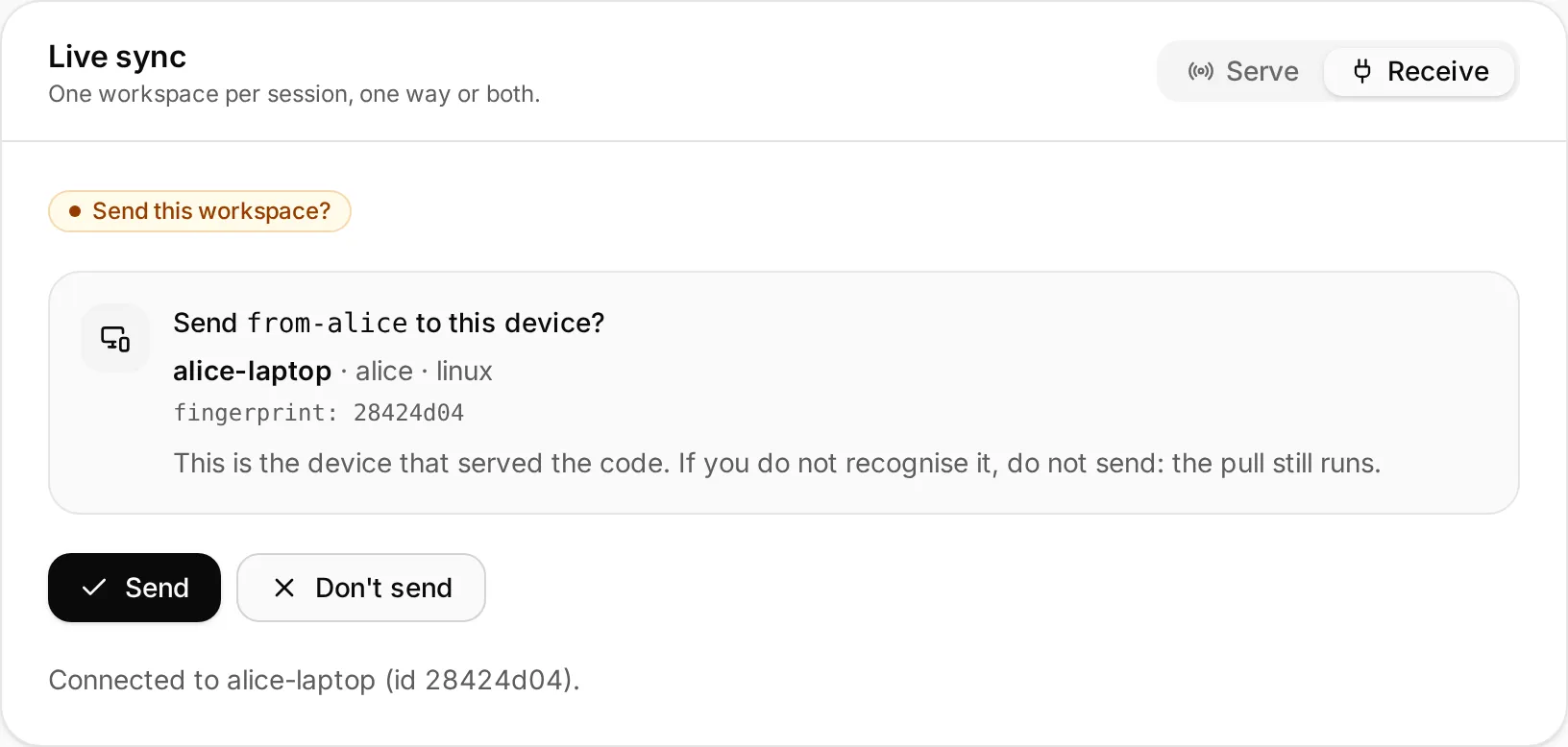
Approve the device
Once the code checks out, the serving machine shows who is asking: hostname, user, OS and device fingerprint. Accept once, trust it for next time, or reject.
alice-laptop · Sync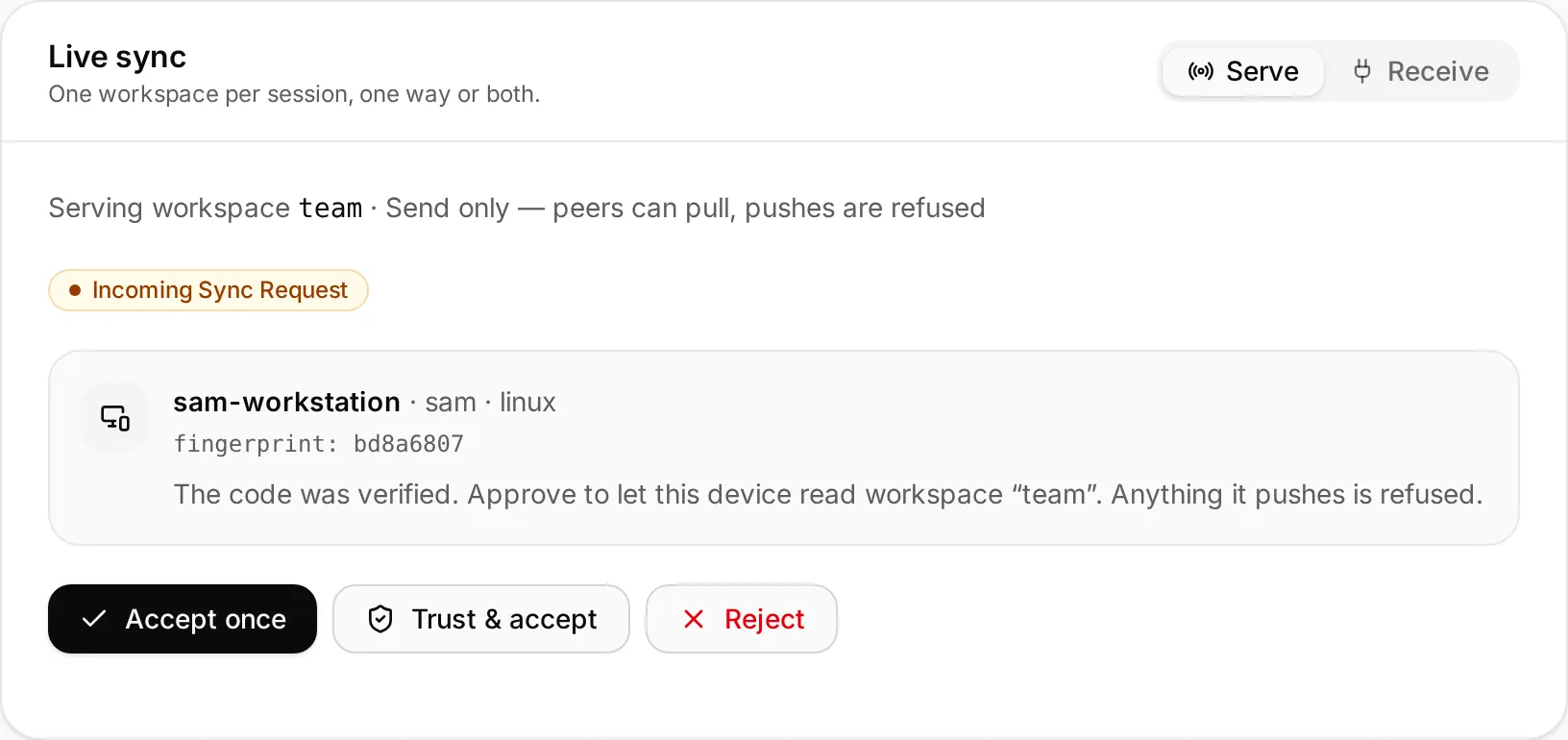
- 4
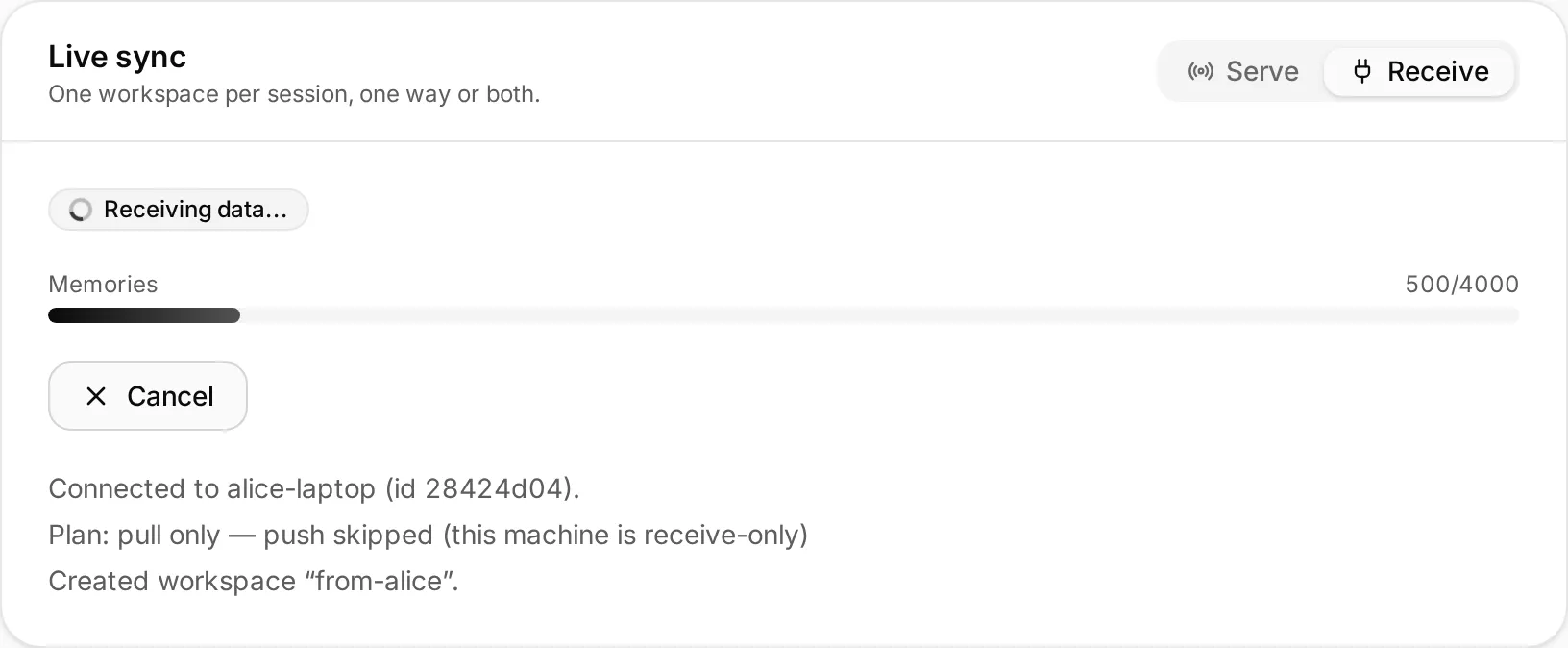
Memories arrive
Memories travel with their vectors, so nothing is re-embedded on arrival, and facts come along. Everything is deduplicated, so running it again only adds what is new.
sam-workstation · Sync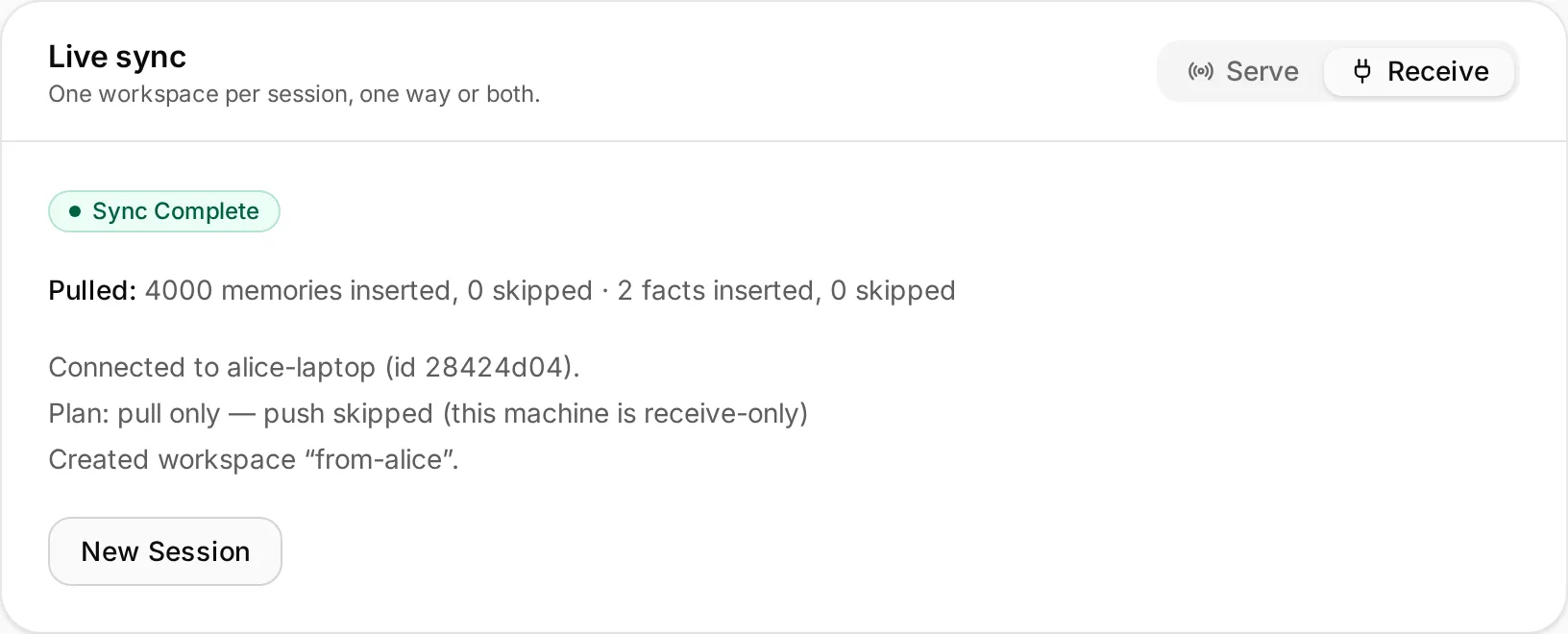
In the terminal
# on the machine that shares
imprint sync serve --workspace team --send-only

# on the other machine, with the code it prints
imprint sync f5b9c62d-CYHSeQEC --workspace from-alice
Add --relay sync.example.com to use your own relay; the code then carries
its address.
You decide what leaves.
Each machine states what it is willing to do, and the serving side enforces its own choice. A code is all it takes to join, so joining only receives unless you ask to send, and then you see exactly which device gets your workspace first.
Serving
- Two-way
- The other machine may pull and push.
- Send only
- It may pull; anything it pushes is refused.
- Receive only
- It may push; nothing here is sent.
Joining
- Receive only
- The default: import, send nothing.
- --two-way
- Import, then send back after you confirm who gets it.
- --send-only
- Send after you confirm; import nothing.
Share part of your memory, not all of it.
Copy just what belongs into a workspace of its own. Yours stays whole. Serve that workspace send-only: your colleague reads it, and nothing of theirs comes back.
-
1 · Curate
imprint migrate --from default --to team --project billing-api --copyOr Settings → Workspaces → Copy / move in the dashboard.
-
2 · Share one way
imprint sync serve --workspace team --send-onlyYour active workspace does not change; pushes are refused.
-
3 · Receive
imprint sync <code> --workspace from-aliceInto a workspace of their own, created when the data arrives.
Re-run the copy and the sync to refresh: both deduplicate. Neither deletes, so what you shared stays shared.
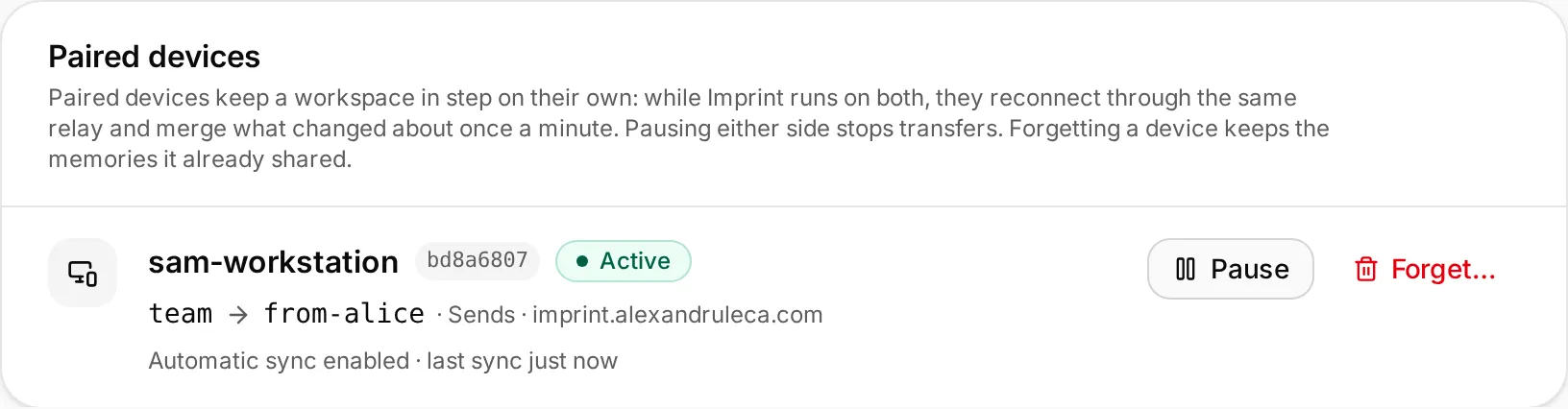
Pair your machines once.
Turn on automatic sync on both sides of a session, or add --remember to both
commands. Only that workspace and the direction you approved are remembered. From then on, whenever
Imprint runs on both, through the dashboard or imprint sync watch, they reconnect
through the same relay about once a minute and merge what changed.
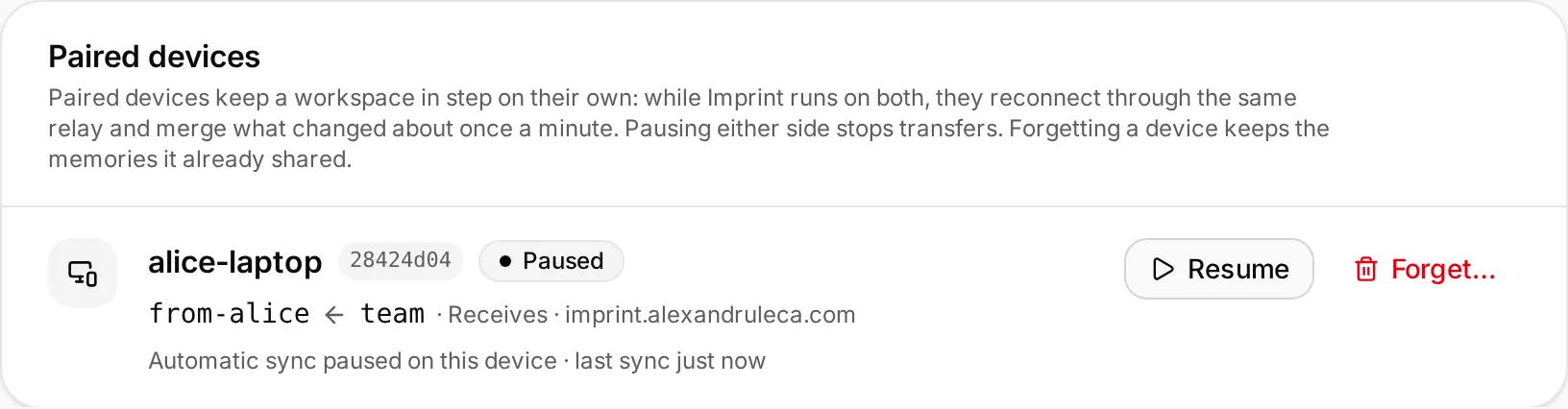
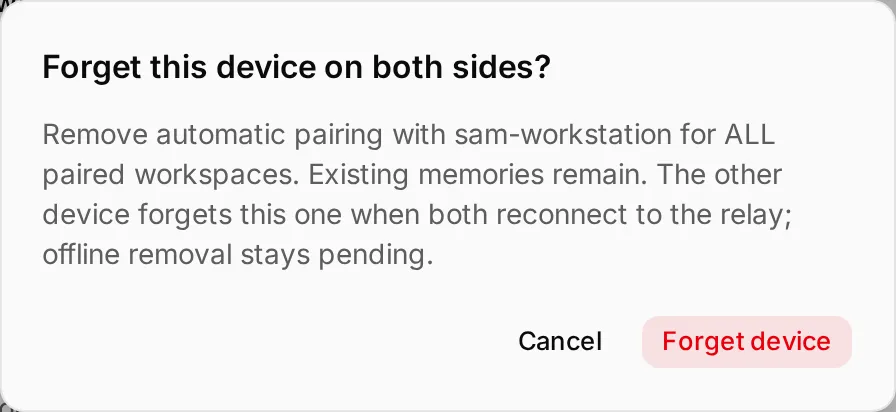
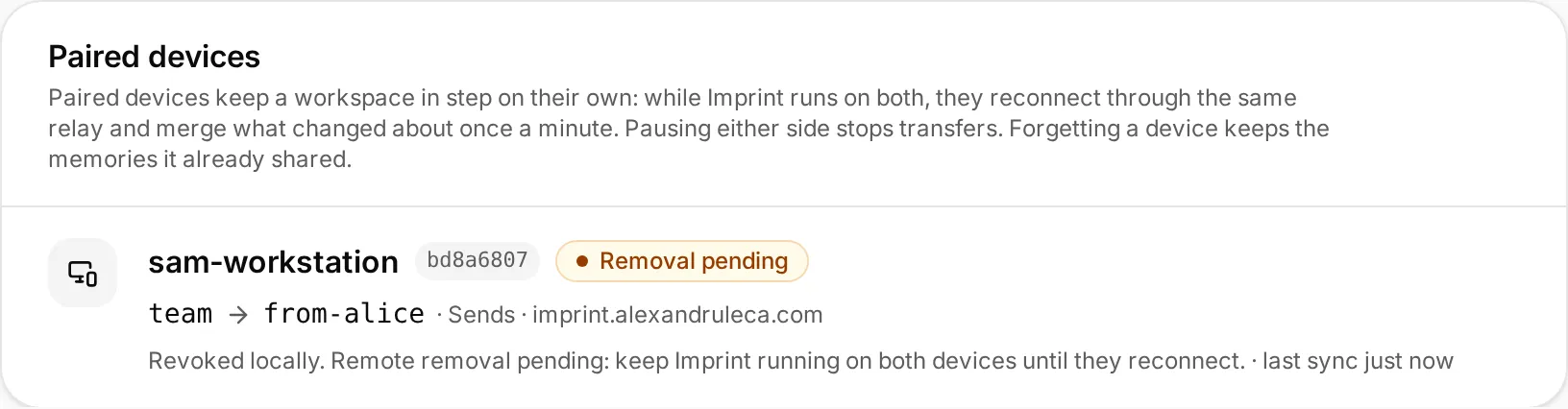
Forgetting is confirmed, and honest about timing.
The device is revoked on this machine at once. The other one removes the pairing when the two next connect. In this session that took 51 seconds. Until then it shows as pending, never as done. Memories already shared stay. If the other device is gone for good, uninstalled or reset, remove the pairing from this machine alone: it is deleted at once, without waiting for an answer that will not come.
imprint sync peers              # list paired devices
imprint sync watch              # sync them without the dashboard
imprint sync disable <id>       # pause; enable resumes
imprint sync forget <id>        # remove on both sides
imprint sync remove <id> # this side only, now: the other device is goneThe relay carries it. It cannot read it.
The code’s secret becomes the encryption key through SPAKE2, a password-authenticated key exchange: it never crosses the relay, and a relay that tries to join in gets one wrong guess before the session ends. Every frame after that is AES-256-GCM, and an altered, dropped or replayed frame stops the session with nothing from it stored.
Want the metadata private too? Run your own relay.
The relay sees
- The room ID
- Two key-exchange messages
- Sizes and timing of encrypted frames
- IP addresses
It never sees
- The code’s secret
- Device names, users, fingerprints
- Memories, vectors and facts
- Which workspace is synced
Questions
What exactly is transferred? +
Do both machines need the same embedding model? +
Do deletions sync? +
What if a transfer is interrupted? +
Can I sync without a relay? +
imprint sync export and imprint sync import. Or run your own relay: it is a small stateless Docker image.